Hire a Web Designer
Hire a web designer if you need a professional website, landing page, business page, service page, portfolio, or website redesign.


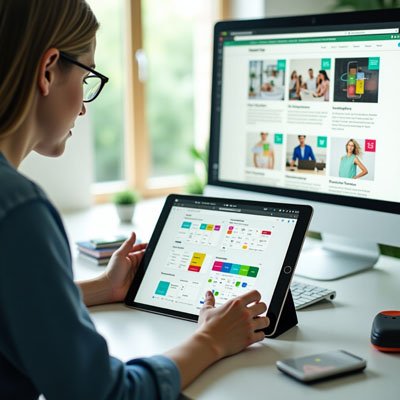
When I first started working on app design, I quickly learned that the look and feel of a mobile application go far beyond aesthetics. It’s about creating the kind of user interface that encompasses every detail color, font, and overall app style so the visual elements and interactive elements blend seamlessly. A good design combines both UI and UX, which is crucial. From my experience, if you don’t prioritize the user experience, even the best app ideas might never succeed. The impact of how users perceive and use your app often depends on small but thoughtful design choices.
I’ve helped teams with building everything from a fitness app to an internal employee app and even a feature-rich ecommerce app. In every category, the app functions must align with what people actually want. Creating a high-quality experience isn’t just about code it’s about making sure users enjoy coming back. That’s why it’s so important to invest at the beginning, not after the problems start. A smart investment in design early on can save you time and money, and it will likely ensure a higher ROI down the road. Making app design a top priority is not just smart it’s essential.
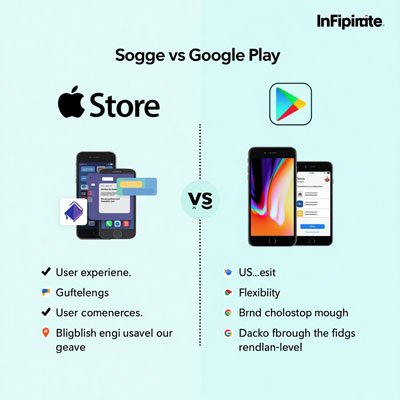
As an app design specialist, I’ve often helped app developers decide which platform to focus on first. In today’s world, most projects need to support multiple platforms, such as the Apple App Store and Google Play Store. But choosing between them isn’t just about popularity it’s about understanding key nuances. You have to think about designing for different operating systems, follow specific platform guidelines, and navigate the differences in the development process. For instance, Apple dominates the US market, while Android leads globally, and the target audience should help dictate where to begin.
When working on an iOS app, I always consider how reliable, fast, and easy to use the platform is. One of the biggest benefits with Apple is the ability to debug design flaws easily. You can fix usability problems, deploy updates quickly, and maintain a seamless experience for your users. A good app design here means delivering a modern, intuitive, and sleek design that feels right at home across the Apple ecosystem from iPads, Apple Watches, to Macs. It also needs to stay compatible with everything Apple builds.
Android is a great choice when you want flexibility in your app building approach. Unlike Apple’s controlled space, it doesn’t have a closed ecosystem, so the design environment is much more open. Many iOS apps even start on Android due to its lower cost. For an app design beginner, Google’s knowledge base and reference material are helpful. It’s usually less expensive to publish an Android app, but you still need to think about integration with more than just smartphones you have to integrate with wearables, VR tools, Android Auto, and support all device types through the app store. Every detail matters, and consideration of various platforms is key when designing for Android.
I remember the first time I tried to create a simple web design project back in college. The tools were limited, and most websites were only built for desktop browsers. Over the years, the concept of design has changed drastically. What used to be static pages is now dynamic and engaging, thanks to the shift in focus toward user experience. While learning about software development, I realized that web design isn’t just about visuals it’s about how people interact with content. That’s when I started understanding the bridge between website development and how it shapes user expectations.
By the mid-2010s, something changed. Browsing habits shifted as people began using mobile and tablet browsers more frequently. Suddenly, it became ever-increasingly important to design layouts that looked great on all screen sizes. As a freelance developer, adapting to this change was essential. I had to re-learn how websites should respond to different devices. It wasn’t just about aesthetics it was about usability and functionality. So when you talk about web design today, it’s no longer confined to desktop browsers. It’s an integrated approach that blends design, development, and seamless user experience across all platforms.
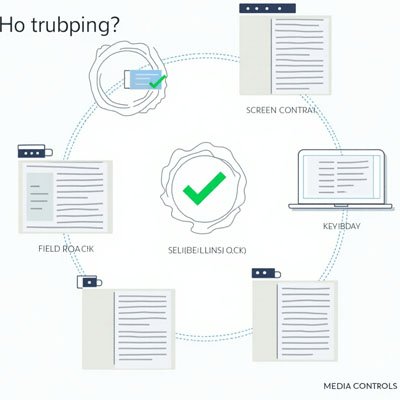
When I first started designing websites, I didn’t realize how significant accessibility was. As I gained more experience, I learned that good web design means creating an accessible website for all users, including those with varying abilities and disabilities. The goal is to make sure everyone can navigate, perceive, understand, and interact with the site using the right technology. A website should be built so that no matter who is visiting, they have a smooth and equal experience.
One of the first guidelines I followed was from the World Wide Web Consortium, also known as W3C. Their advice on using contrast between foreground and background was a game changer. Using black or dark gray text on a white or light gray shade helps with readability. I now regularly use color contrast checkers to test contrast ratio between text and background colors to ensure my content is easy to read.
Many people with colorblindness may not notice subtle color changes. So I never use color alone to share information. For example, I add underlines to hyperlinked text so even if someone can’t see the link color change, they can still differentiate the hyperlink from regular text.
For interactive elements, it’s vital to make them easy to identify. I apply distinct styles to links and add visual effects like a hover state. Users who rely on the keyboard should also be able to spot clickable areas quickly.
A clear and consistent navigation setup is essential. I use organized navigation options, keep consistent layouts, follow naming conventions, and ensure menu items don’t cause confusion. Features like breadcrumbs in the same position across all web pages help users stay oriented.
When working with form elements, I always use visible labels placed next to the form field. For left to right languages, placing the input field with the label beside it avoids errors and confusion for users.
Good feedback is everything. Error messages shouldn’t be in fine print or only in a specific color, as this fails for people with lower vision. Make sure users can identify, navigate, and fix different errors easily.
To organize content better, I apply headings and proper spacing to group related content. A strong visual hierarchy using typography, whitespace, and grid layouts helps users scan content quickly.
I always build designs that adapt to different viewport sizes. Whether on larger devices or smaller screens, content scales well. I ensure all my responsive websites test correctly across screen sizes.
For accessibility, every image must have alternative text that communicates meaning. I also provide image alternatives, media alternatives, transcripts for audio and video content, and make sure text alternatives are used consistently even in PDFs.
One thing I always double-check is autoplaying media. I provide controls, so users can pause animations or video content that plays automatically. It gives them power over their browsing experience.
Not always. Web design mainly focuses on the visual layout and user experience of a website, including colors, fonts, and overall structure. While some designers also know HTML, CSS, or JavaScript, the actual coding is typically handled by web developers.
Responsive web design means creating websites that adapt to different screen sizes and devices like phones, tablets, and desktops. It ensures that users have a smooth browsing experience no matter what device they use.
It includes both. UI (User Interface) deals with the visual elements like buttons and layouts, while UX (User Experience) focuses on how the app feels and functions for users. A good app design combines both for a seamless and intuitive experience.
An app designer creates the look, feel, and user experience (UX) of a mobile or web app. They focus on making the app visually attractive, easy to use, and functional for users.
Learn how professional Web designer services can bring your ideas to life with realistic visuals, enhance website presentation, and help your brand stand out with modern, high-impact designs.
Your website or app is often the first place customers interact with your business online. Before they contact you, book a service, buy a product, or download your app, they notice how your digital platform looks and feels.
Good design is not only about colors and layouts. It helps users understand your message, move through pages easily, find what they need, and take action without confusion.
The goal is not just to create a beautiful screen. The real value comes from using professional web and app design services to build a digital experience that feels clear, modern, trustworthy, and easy to use.
Whether you need responsive web design services, UI UX design services, mobile app design services, or a landing page design service, the right designer can help your business create a stronger online experience.

Web and app design services help businesses create user-friendly, professional, and visually clear digital experiences for websites, mobile apps, landing pages, and online platforms.
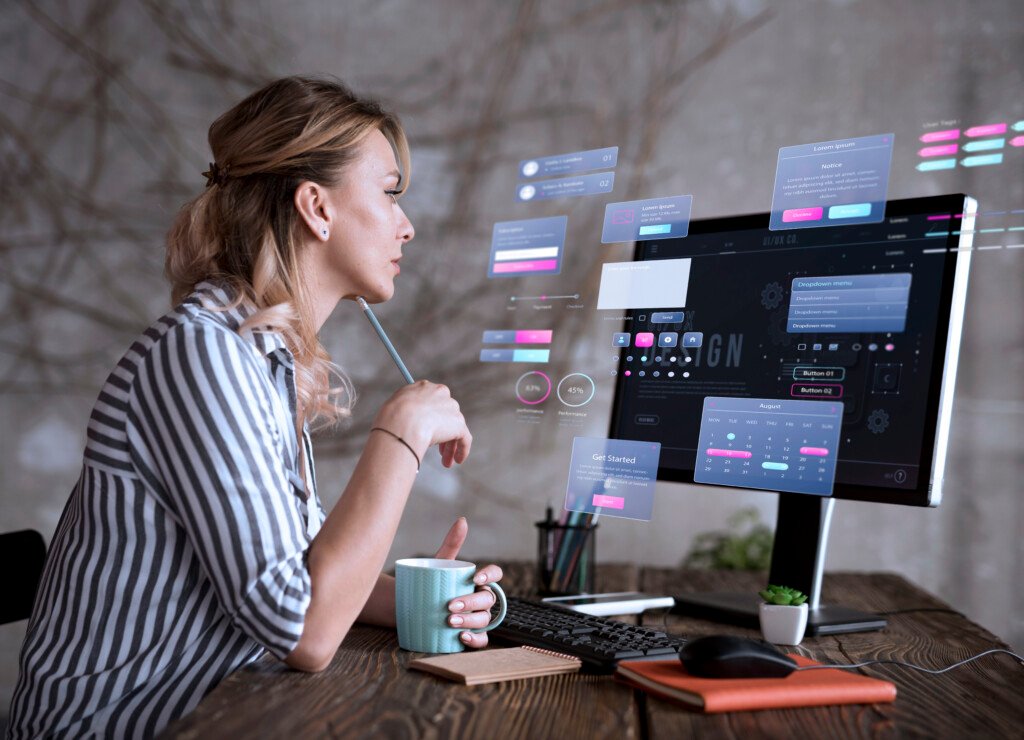
A web or app designer plans and creates the visual layout, user experience, and interface of a website or application. Their work may include homepage design, landing pages, mobile screens, app layouts, navigation, buttons, forms, typography, color systems, wireframes, prototypes, and responsive layouts.
A good designer does more than make a website or app look attractive. They understand how users behave, what information they need, and how design can guide them toward the right action.
For example, a small business may need web design services for small business to create a professional website that explains services clearly. A startup may need mobile app design services to create app screens that are simple, smooth, and easy for users to understand.

Professional design can improve how people see your business and how easily they use your website or app. A confusing design can make users leave, while a clear design can help them stay, explore, and take action.
Your website or app design can shape how customers see your brand within seconds. A clean and modern design can make your business look more professional and trustworthy.
UI UX design services help make your digital platform easier to use. Good design helps users understand where to click, what to read, and how to complete actions smoothly.
Responsive web design services make sure your website works properly on mobile, tablet, laptop, and desktop screens. This is important because many users visit websites from mobile devices.
A well-designed website, app, or landing page can guide users toward actions such as calling, booking, signing up, requesting a quote, downloading an app, or making a purchase.
There are many types of web and app design services, and the right one depends on your business goals, platform, audience, and user journey.
Web design services help businesses create professional website layouts, page designs, visual styles, navigation systems, and user-friendly website experiences. This is useful for startups, service businesses, ecommerce brands, agencies, personal brands, and companies that want a stronger online presence.
Web design services for small business focus on practical, professional, and easy-to-manage websites. These websites often include service pages, contact forms, about pages, booking buttons, testimonials, and clear calls to action.This is useful for local businesses, consultants, agencies, restaurants, clinics, contractors, and service providers.
Responsive web design services make sure your website adjusts properly to different screen sizes. A responsive website should look clean and work smoothly on phones, tablets, laptops, and desktops.This is important for user experience, mobile visitors, and professional brand presentation.
UI UX design services focus on how a website or app looks and how users interact with it. UI means user interface, such as buttons, icons, colors, spacing, and screens. UX means user experience, such as flow, usability, navigation, and ease of use.This is useful for apps, SaaS platforms, websites, dashboards, ecommerce stores, and digital products.
Mobile app design services help create screens and user flows for mobile applications. This may include onboarding screens, login pages, dashboards, product pages, menus, forms, buttons, and interactive prototypes. This is useful for startups, SaaS businesses, ecommerce apps, service apps, booking apps, and mobile-first platforms.
Web app design services focus on browser-based applications, dashboards, portals, SaaS products, admin panels, booking systems, and online tools. This is useful for businesses that need a digital product users can access through a web browser.
A landing page design service helps create focused pages for ads, campaigns, lead generation, product launches, or service promotions. This is useful when you want visitors to take one clear action, such as signing up, booking a call, downloading a guide, or buying a product.
Affordable web design services help small businesses and startups get professional design support without starting with a large budget. These services may include simple websites, landing pages, template customization, or basic redesigns. This is useful for businesses that need a strong online presence but want to keep the project practical and cost-effective.
There are different ways to get web and app design support. The best option depends on your budget, project size, timeline, and design complexity.
A freelance web designer can be a good choice for small business websites, landing pages, website redesigns, app screens, and focused design projects.
A design agency may be better for larger websites, full branding projects, complex apps, design systems, ecommerce stores, or businesses that need strategy, copywriting, design, and development support together.
A design studio may be useful for startups, SaaS products, mobile apps, web apps, and brands that need high-quality UI UX design and product design support.

Choosing the right designer is important because your website or app affects trust, usability, and conversions. Before you hire web designer support, follow these steps.
Start by deciding what you need the design to achieve. Do you want more leads, better branding, app downloads, online sales, bookings, signups, or a smoother user experience? A clear goal helps the designer create the right layout and user journey.
Not every project needs the same service. A business website, mobile app, landing page, SaaS dashboard, and ecommerce store all need different design approaches. Choose a designer with experience in your exact type of project.
Always review the designer’s past work. Look at layout quality, mobile responsiveness, visual style, spacing, readability, and user flow. A strong portfolio helps you understand whether the designer can match your brand and project needs.
For apps and complex websites, ask how the designer plans user flows, wireframes, prototypes, and interface structure. A good UI UX designer should think about both visual design and ease of use.
Design becomes easier when you have clear content, logo, brand colors, images, service details, and examples of websites or apps you like. This helps the designer understand your expectations and reduces delays.
Before starting, ask how many revisions are included and what files you will receive. Deliverables may include Figma files, Adobe XD files, PNG previews, style guides, design systems, or developer-ready layouts. Clear deliverables help avoid confusion later.
Web and app design timelines can vary based on number of pages, screen complexity, revisions, content readiness, and project goals. Ask for a clear timeline, pricing, project scope, and delivery format before starting.
Finding the right web or app design professional becomes easier when you know what type of support your business needs. On Finderdesk, you can explore designers based on your project goals.
Hire a web designer if you need a professional website, landing page, business page, service page, portfolio, or website redesign.
Hire a freelance web designer if you need flexible project-based support for website layouts, landing pages, redesigns, or small business websites.
Hire a UI UX designer if you need wireframes, user flows, app screens, dashboard design, prototypes, or a smoother user experience.
Hire a mobile app designer if you need professional app screens, onboarding flows, user dashboards, mobile navigation, or app prototypes.
Hire a landing page designer if you need a focused page for ads, campaigns, lead generation, product launches, or service promotions.
Tell us about your website or app project and we'll help you find the right web, UI/UX, mobile app, or landing page designer.
Design projects can become difficult when expectations are unclear. Avoid these common mistakes before hiring.
If you do not know what the website or app should achieve, the design may look good but fail to support your business goals.
Affordable web design services can be helpful, but choosing only the cheapest option may lead to weak layouts, poor user experience, or designs that need to be redone.
A website that looks good on desktop but feels difficult on mobile can lose visitors. Always make sure mobile design is included.
Beautiful design is not enough. Users should be able to find information, move through pages, complete forms, and take action easily.
If your content is missing, the design process may slow down. Website text, images, service details, and calls to action should be prepared early.
If you only receive screenshots or flat images, it may be harder for developers to build the design properly. Ask for editable design files when needed.
Web and app design services can help your business create a stronger digital experience that looks professional, feels easy to use, and supports business growth. Whether you need responsive web design, UI UX design, mobile app design, web app design, or landing page design, the right designer can help turn your idea into a clear visual experience.
Before hiring, define your project goal, choose the right design type, review portfolios, prepare content, discuss revisions, confirm deliverables, and understand pricing. Clear planning helps you avoid confusion and get better design results.
Here are common questions businesses ask before hiring professional artist.
Web and app design services help businesses create professional layouts and user experiences for websites, mobile apps, web apps, landing pages, and digital platforms. These services may include UI design, UX design, responsive layouts, wireframes, prototypes, landing page design, app screens, and website redesigns.
The cost depends on the number of pages or screens, design complexity, revisions, designer experience, and whether UX research or prototyping is included. A simple landing page design may cost around $100–$500. A small business website design may range from $500–$2,500+. Mobile app design, web app design, dashboards, or complex UI UX design projects can range from $2,500–$15,000+, depending on scope and features.
Web design is important because it affects first impressions, trust, usability, and conversions. A clean and easy-to-use website can help visitors understand your business and take action. Poor design can make users leave quickly, even if your services or products are good.
Responsive web design services make sure a website works properly on different screen sizes, including mobile phones, tablets, laptops, and desktops. This helps visitors browse your website easily no matter what device they use.
UI design focuses on the visual interface, including colors, buttons, typography, icons, spacing, and screen layouts. UX design focuses on the user experience, including navigation, flow, structure, usability, and how easily users can complete tasks.
You should hire a UI UX designer when you need app screens, web app layouts, dashboards, prototypes, user flows, or a better experience for users. UI UX designers are especially useful for SaaS products, mobile apps, ecommerce platforms, booking systems, and complex websites.
Mobile app design services help create the visual screens and user experience for mobile applications. This may include onboarding, login screens, home screens, menus, profiles, checkout flows, dashboards, and interactive prototypes. These designs help developers understand how the app should look and function.
A landing page design service creates a focused page for one specific goal, such as lead generation, signups, downloads, product promotion, or ad campaigns. A good landing page uses clear messaging, strong visuals, trust elements, and calls to action to encourage visitors to take the next step.
Get our latest news straight into your inbox